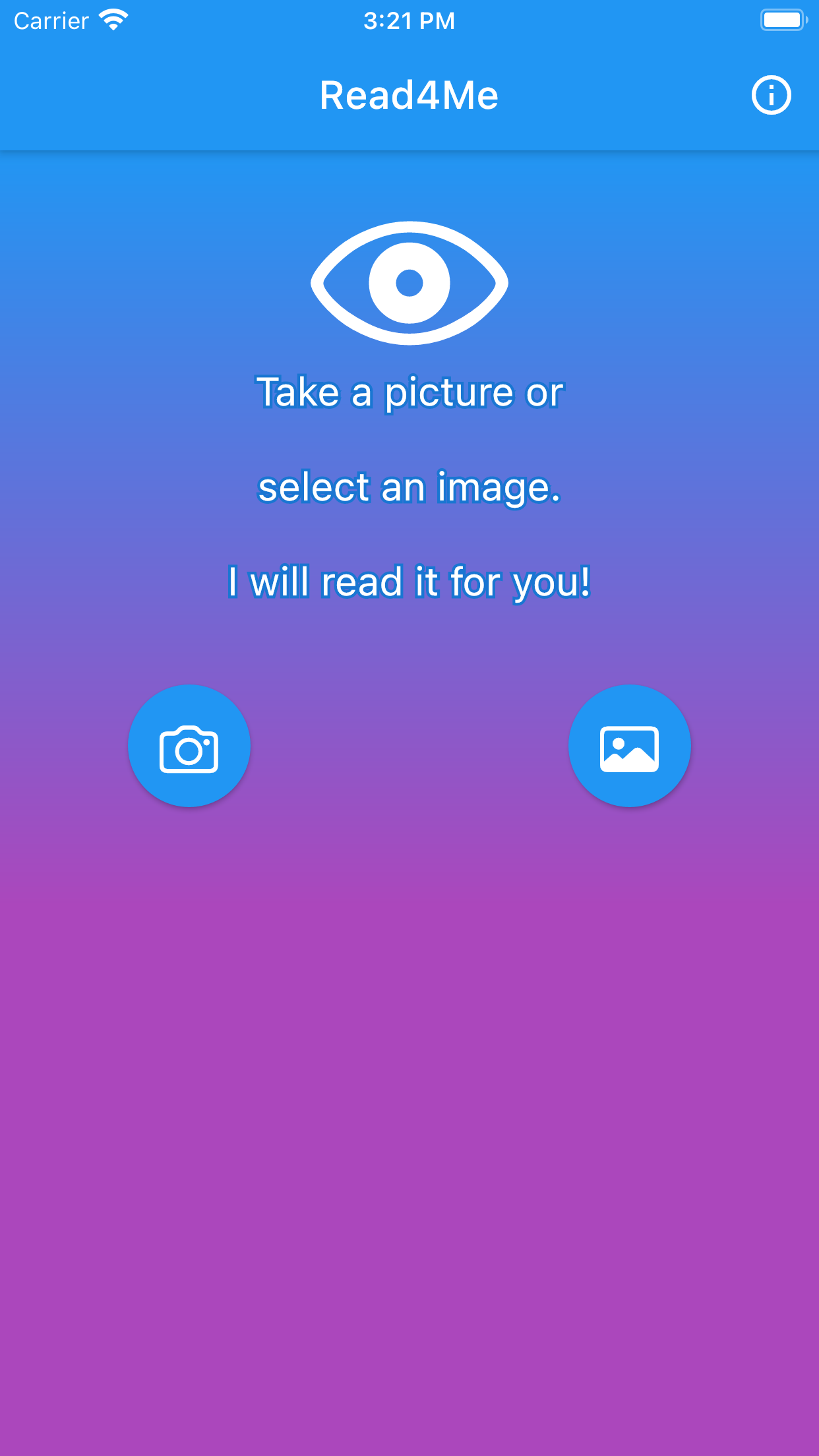
The Read4Me is an app that recognizes text of images. So the first thing you need is to pick up an image from your gallery or take a picture with your camera. In the picture below the app offers you these two possibilities.
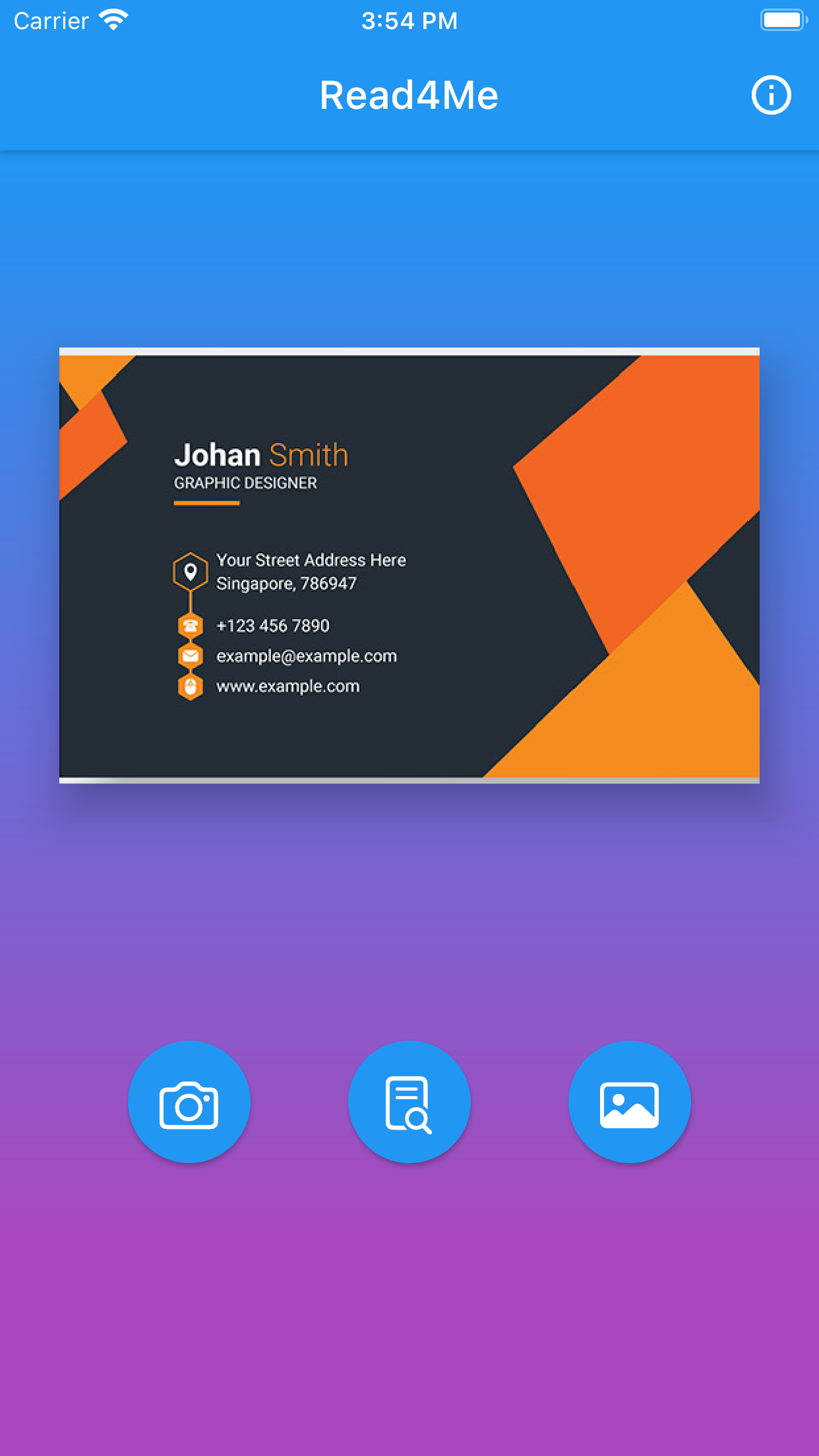
Suppose (in the next window) you have picked up a business card image you have received from a friend. If you push the button in the middle, the app will try to recognize the text on that image.
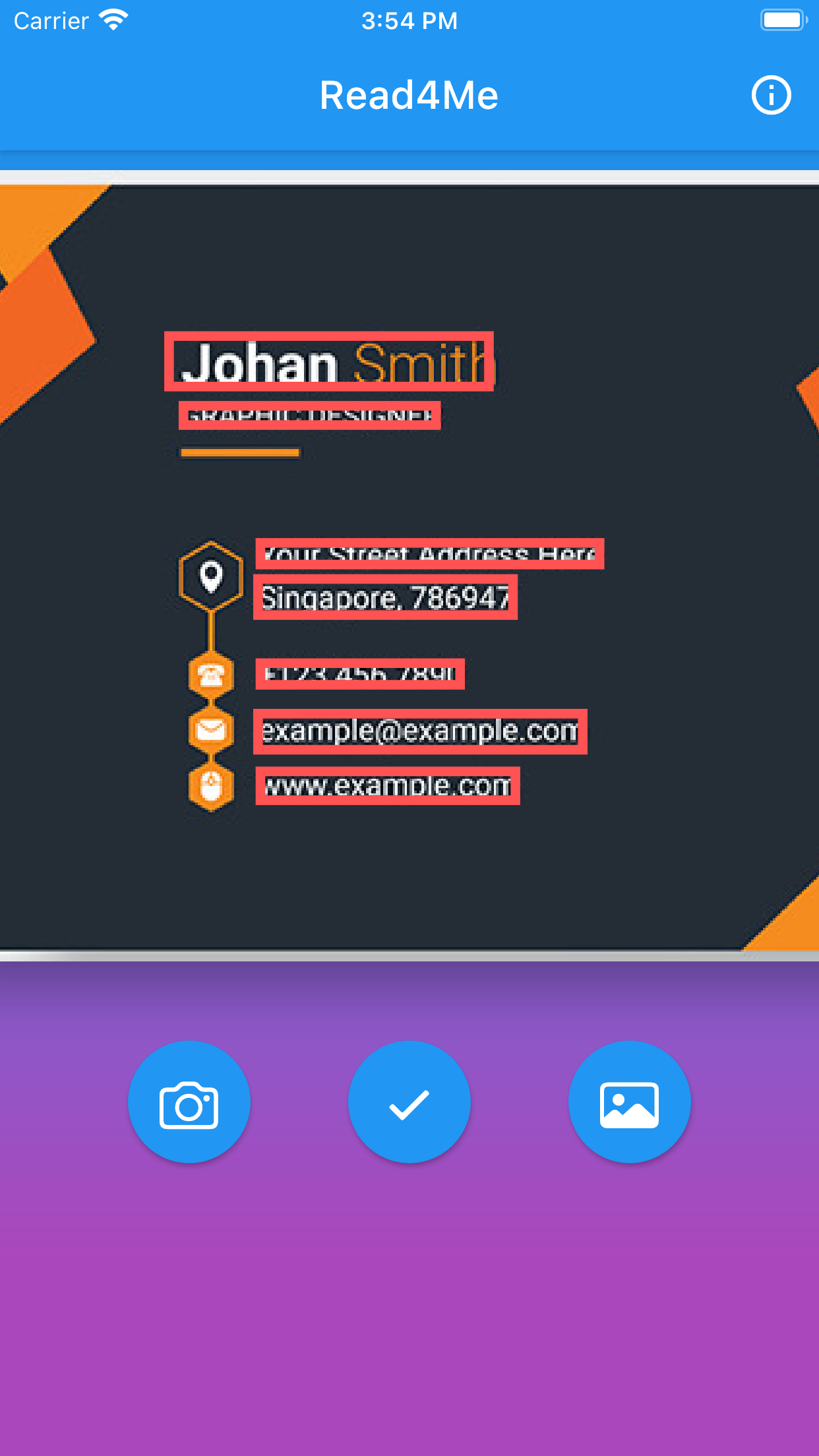
The next screen shows the recognized text marked with red rectangles. If there is no text on that image, the app will display a message, and you can choose another picture. This step does not need an active internet connection since we run the recognition algorithm locally on your phone.
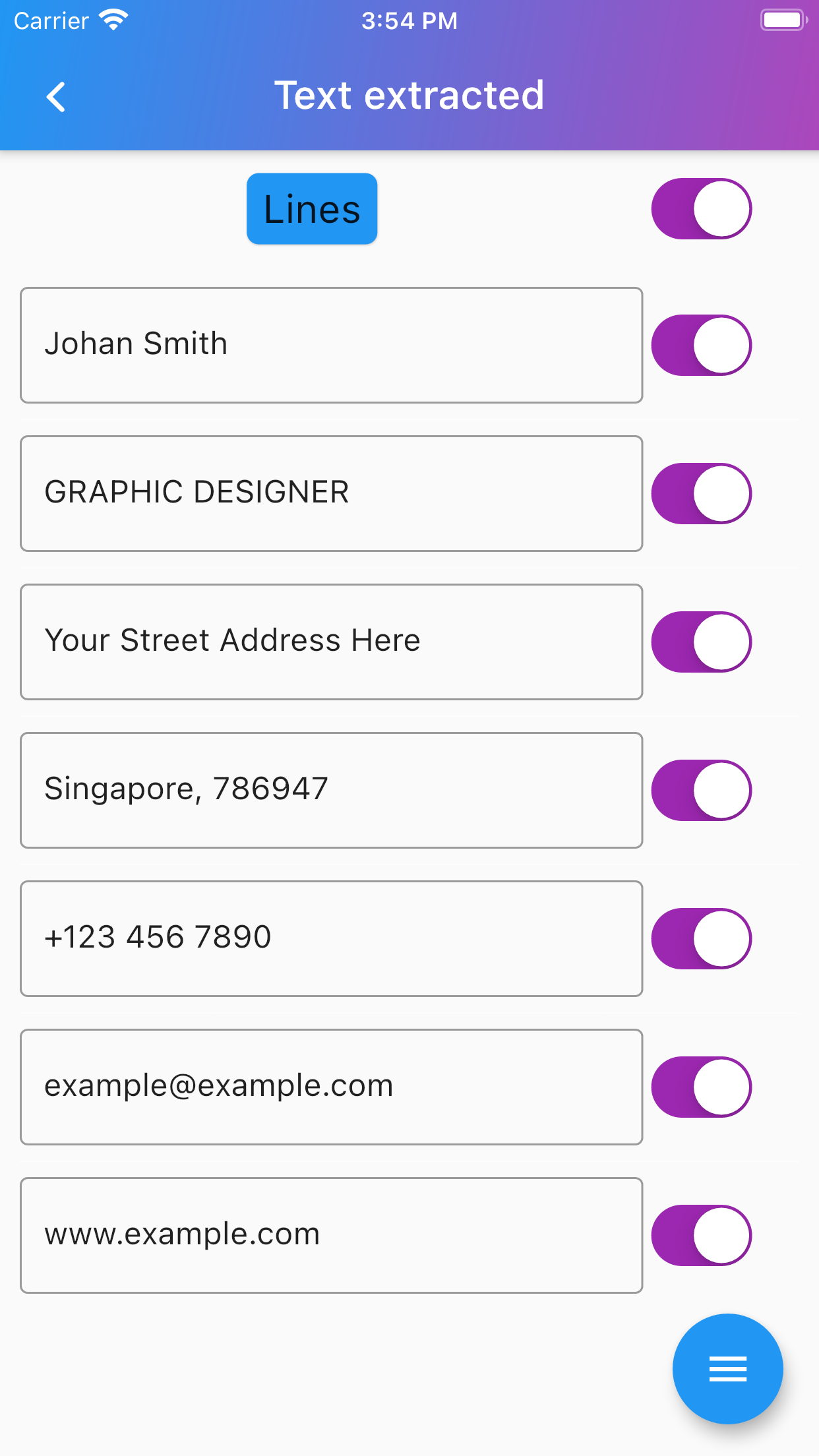
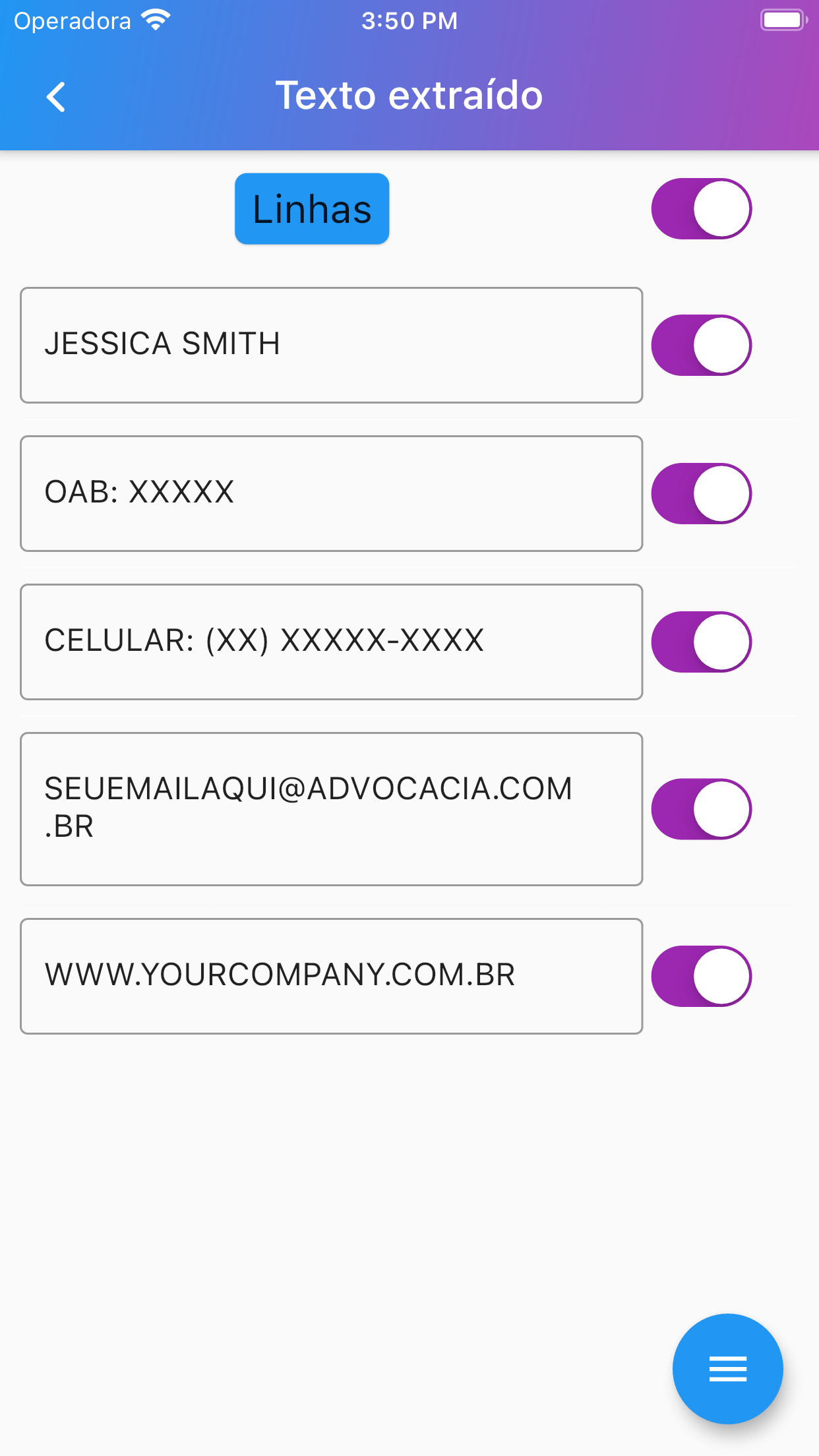
The next screen shows the text recognized in the previous step separate in editable lines. Now you check the extracted text, correct it, if necessary, and go back to the previous screen how many times you want without losing your editions. After your editions, you can mark the text you want to work, by checking the selector on the right of each line.
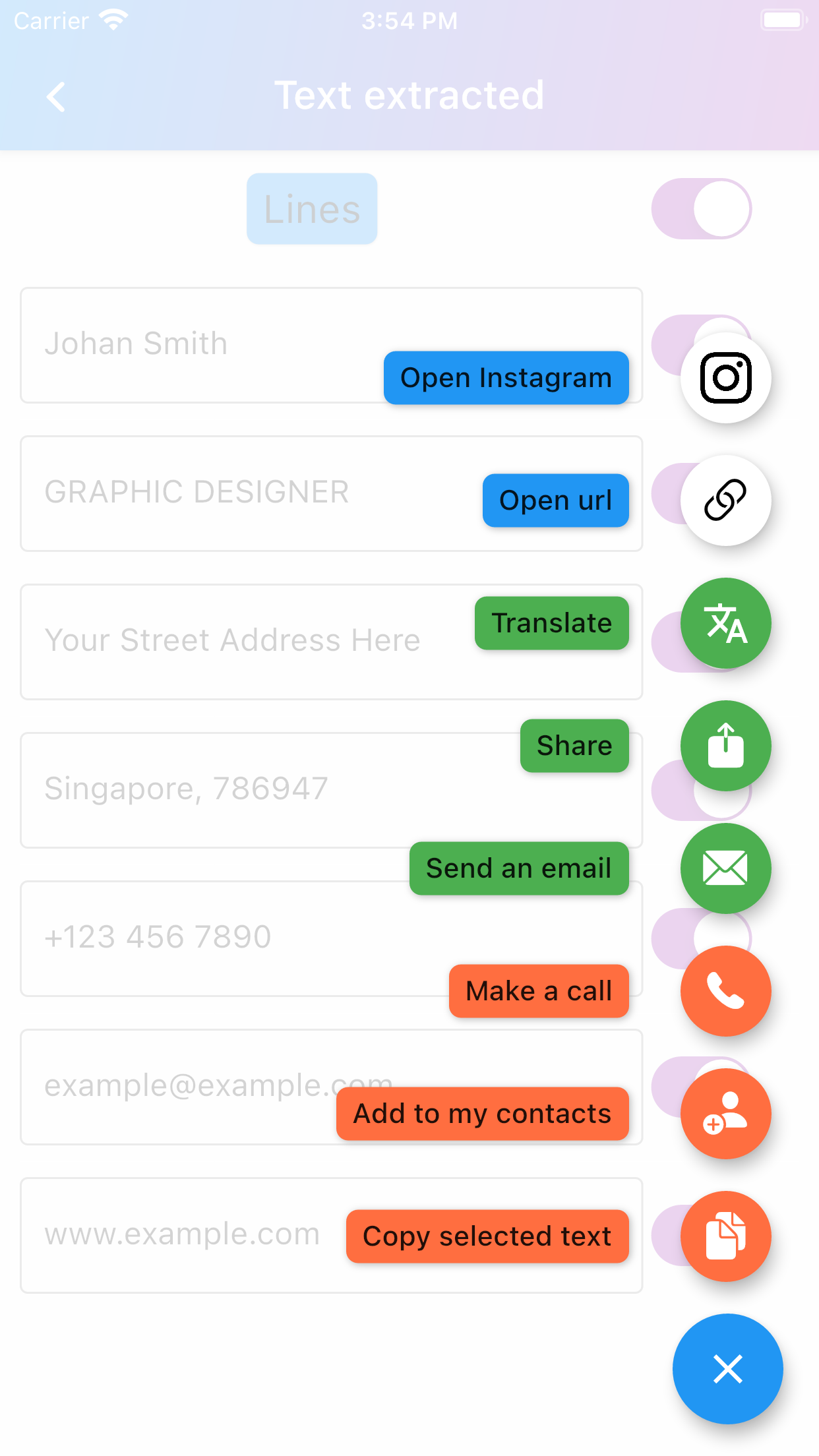
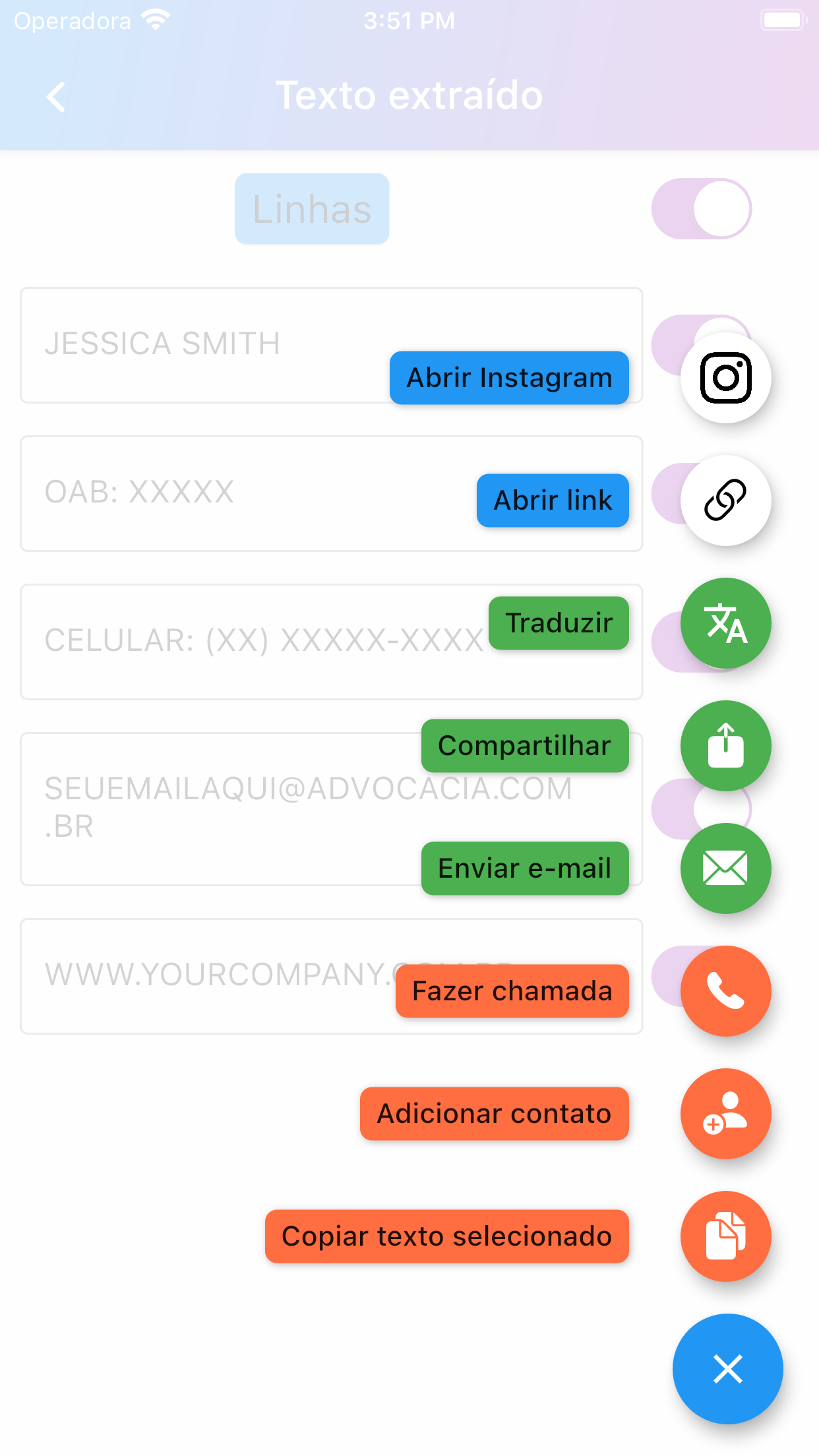
The last app window shows the many options we have to work with the selected text. They are from the bottom to the top.
- Copy the result to the clipboard
- Add a new phone number to your contacts, if there is a phone number on the selected text, if not the app will notify you
- Make a call, as before there must be a phone number in the selected text
- Send an email, if there is an email on the selected text, if not the app will notify you
- Share the selected text on your social media
- Translate it
- Open an URL in the selected text, if there is one, if not the app will notify you
- Open an Instagram account, if there is one, if not the app will notify you
If you enconter any problems or have any questions related to this aplication please send us a email at josedihego@gmail.com. We will answer you the fastest as possible.
O LePraMim é um aplicativo que reconhece texto de imagens. Portanto, a primeira coisa que você precisa é escolher uma imagem de sua galeria ou tirar uma foto com sua câmera. Na imagem abaixo, o aplicativo oferece essas duas possibilidades.
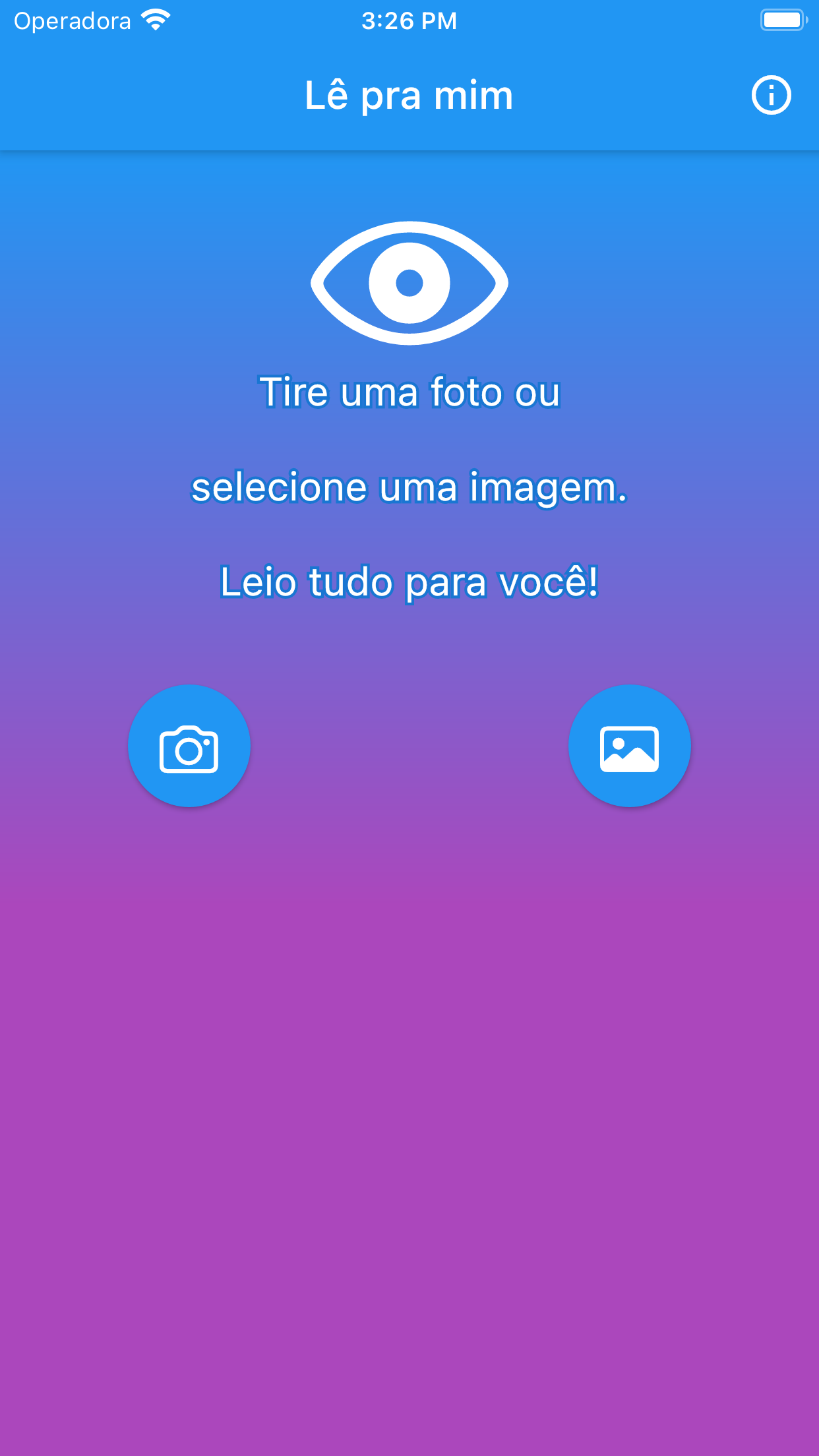
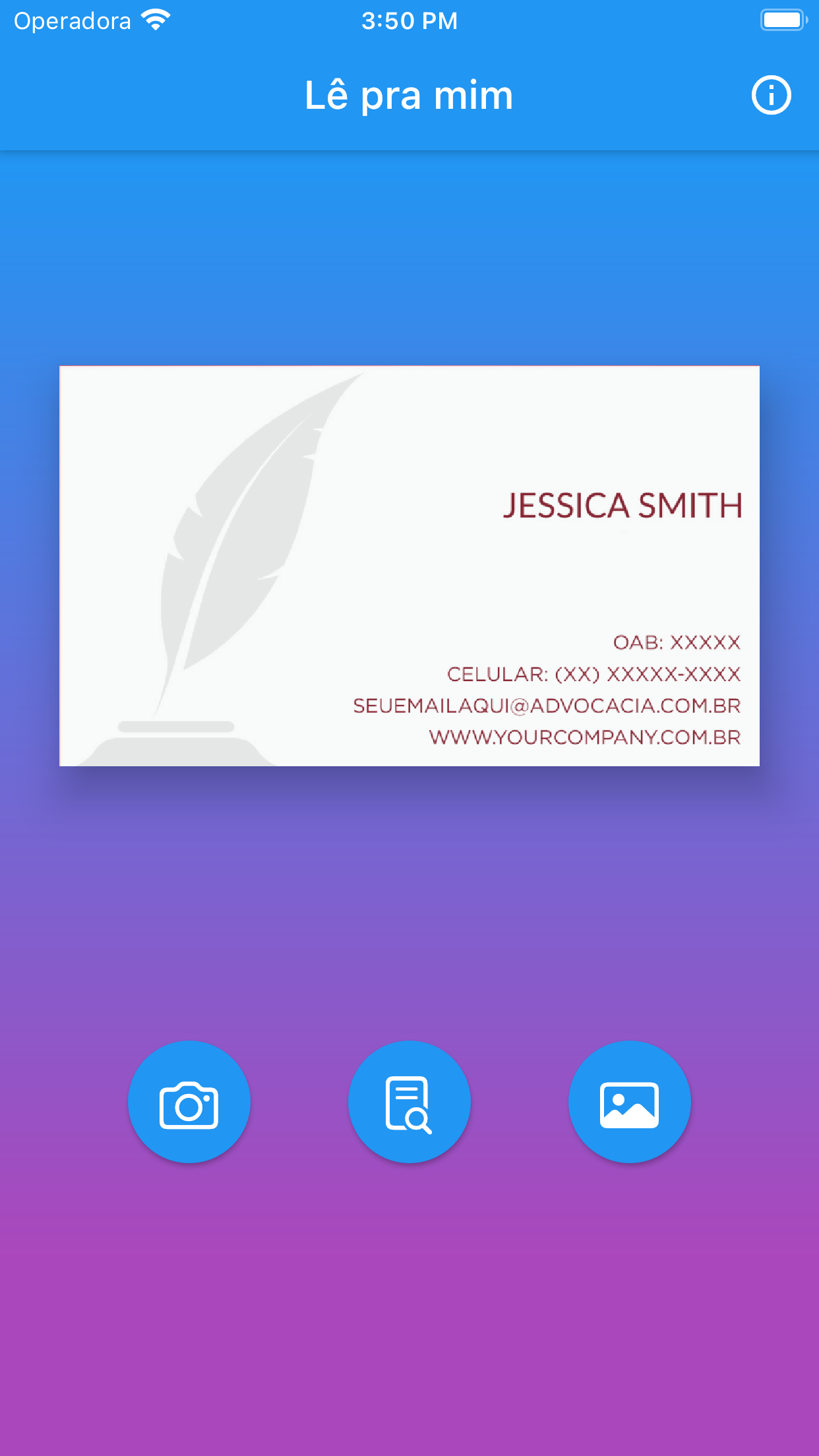
Suponha (na próxima tela) que você selecionou uma imagem de cartão de visita que recebeu de um amigo. Se você apertar o botão do meio, o aplicativo tentará reconhecer o texto dessa imagem.
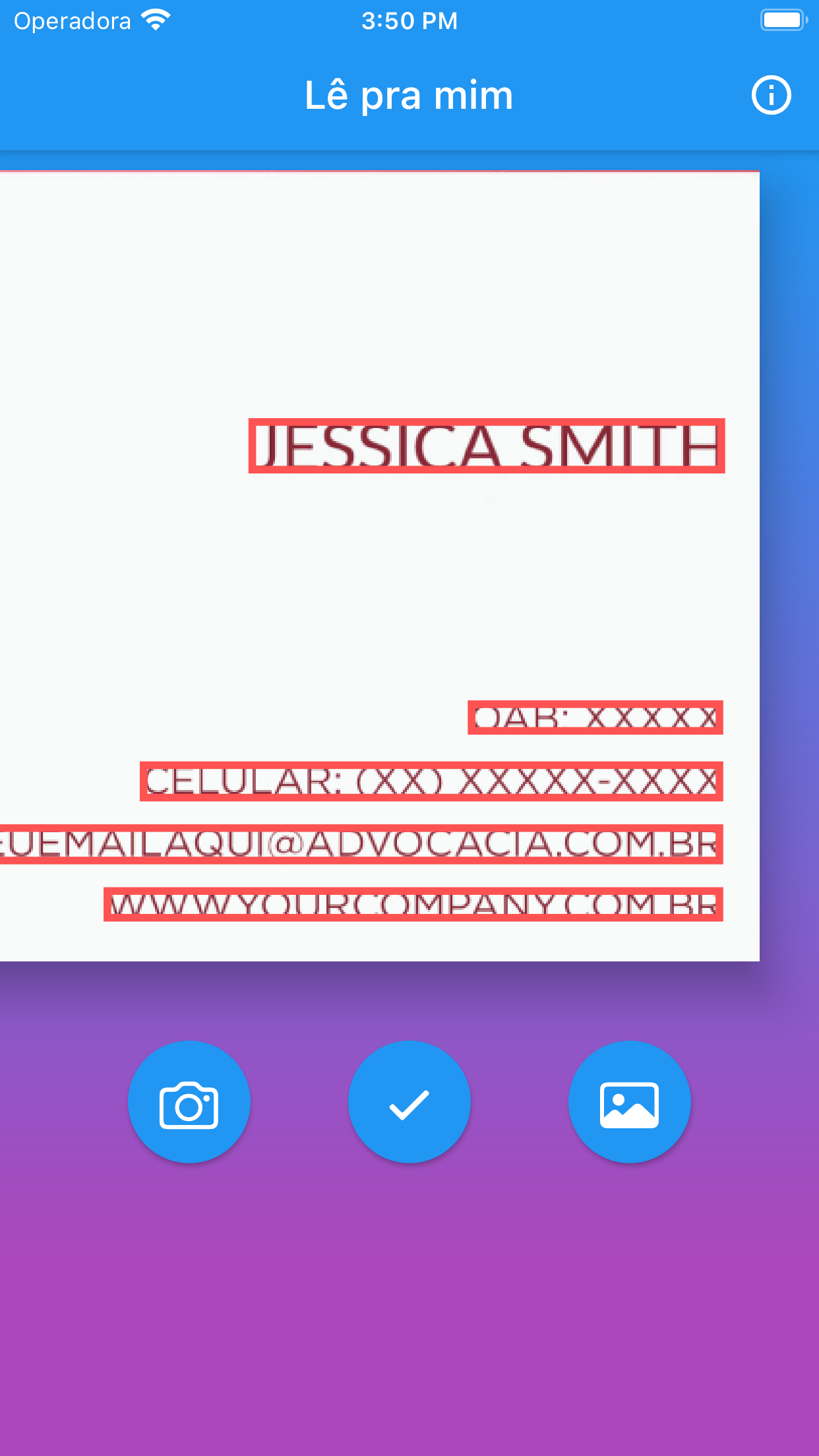
A próxima tela mostra o texto reconhecido marcado com retângulos vermelhos. Se não houver texto na imagem, o aplicativo exibirá uma mensagem e você poderá escolher outra imagem. Esta etapa não precisa de uma conexão com a internet, pois executamos o algoritmo de reconhecimento localmente em seu telefone.
A próxima imagem mostra o texto reconhecido na etapa anterior separado em linhas editáveis. Agora você pode verificar o texto extraído, corrigi-lo se necessário e voltar à tela anterior quantas vezes quiser sem perder suas edições. Após fnalizar suas edições, você pode escolher o texto que deseja trabalhar, marcando o seletor à direita de cada linha.
A última janela do aplicativo mostra as muitas opções que temos para trabalhar com o texto selecionado. Veja a descrição de cada uma delas de baixo para cima.
- Copiar o resultado para a área de transferência
- Adicionar um novo número de telefone aos seus contatos caso haja um número de telefone no texto selecionado, caso contrário o aplicativo irá notificá-lo
- Fazer uma chamada, caso exista uma número de telefone no texto selecionado, caso contrário o app irá notificá-lo
- Enviar um email, se houver um email no texto selecionado, caso contrário o app irá notificá-lo
- Compartilhe o texto selecionado em suas redes sociais
- Traduza o texto selecionado
- Navegar para um link no texto selecionado, se houver, caso contrário o aplicativo irá notificá-lo
- Navegar para uma conta do Instagram, se houver, caso contrário o aplicativo irá notificá-lo
Se você encontrar algum problema ou tiver alguma dúvida relacionada a este aplicativo, envie-nos um e-mail para josedihego@gmail.com. Responderemos o mais rápido possível.